
Moving
Ask the right question at the right time
On a live survey the customer pulls you in a hundred directions, and the right question slips — is the piano going, does the bed need disassembly. Teleprompter listens as it happens and puts the question you need on screen, right when it matters.
Request a DemoPhoto by David Hahn (opens in a new window) on Unsplash (opens in a new window)
A question that goes unasked costs twice. The job gets misquoted — an item missed at the survey turns into a change order, a callback, or a dispute once the truck has left. And an upsell goes unmade — the disassembly, the crating, the added packing that a prompt to offer would have turned into revenue.
How it works
Yembo listens, then prompts
During a live survey, Yembo monitors two things at once: what appears in the video feed, and what the surveyor and customer say to each other. When a question that should have come up gets missed, it appears on screen with the wording to use. The surveyor asks it, and the answer is captured with the rest of the survey.
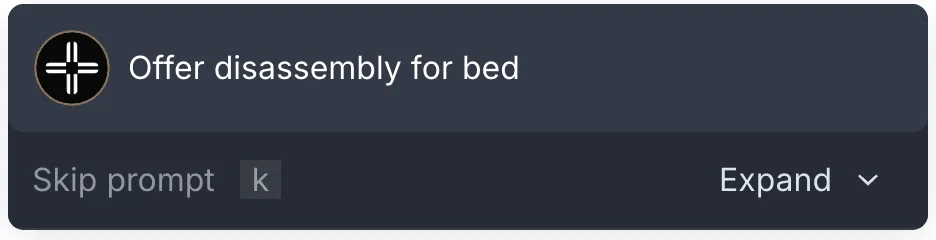
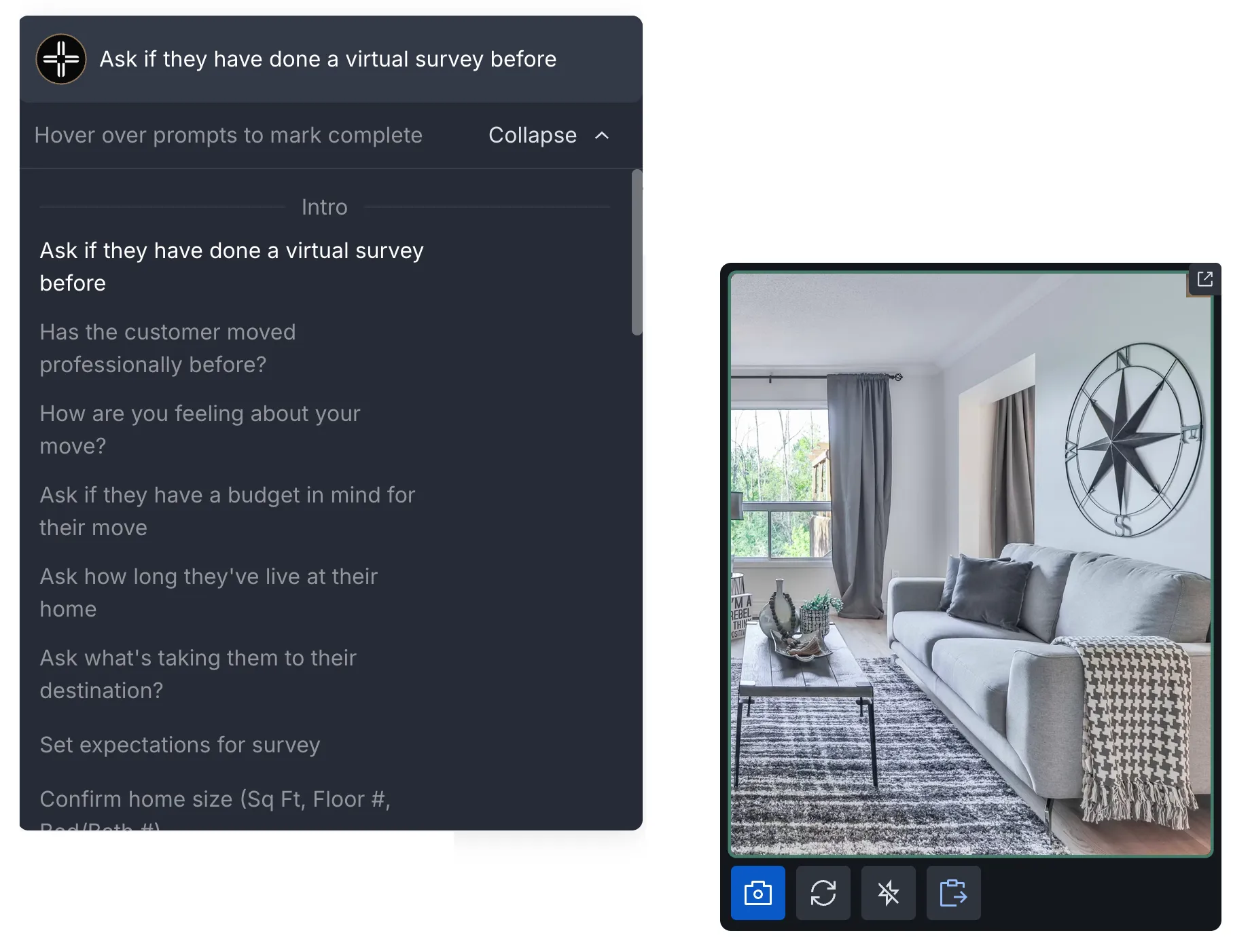
Prompts appear in real time
As the conversation moves from room to room, Yembo puts the next unasked question on screen with the exact wording to use, before the survey moves on.
Asked questions complete themselves
When Yembo detects that a question was already asked, it marks the prompt complete automatically, so the surveyor is never nudged to repeat themselves.
Clear anything outstanding
A prompt that still needs handling can be completed in a click, or skipped with a single key press, without breaking the flow of the call.
Expand the full list
While the survey is in progress or as it winds down, the full Teleprompter list opens so nothing relevant is left unasked when the call ends.
You choose the questions
Teleprompter asks the questions that matter to your business — the items that move a price, the services worth offering, the details that decide a bid. No two moving companies are alike, so you build the list to match, and Teleprompter surfaces each one as it comes up.
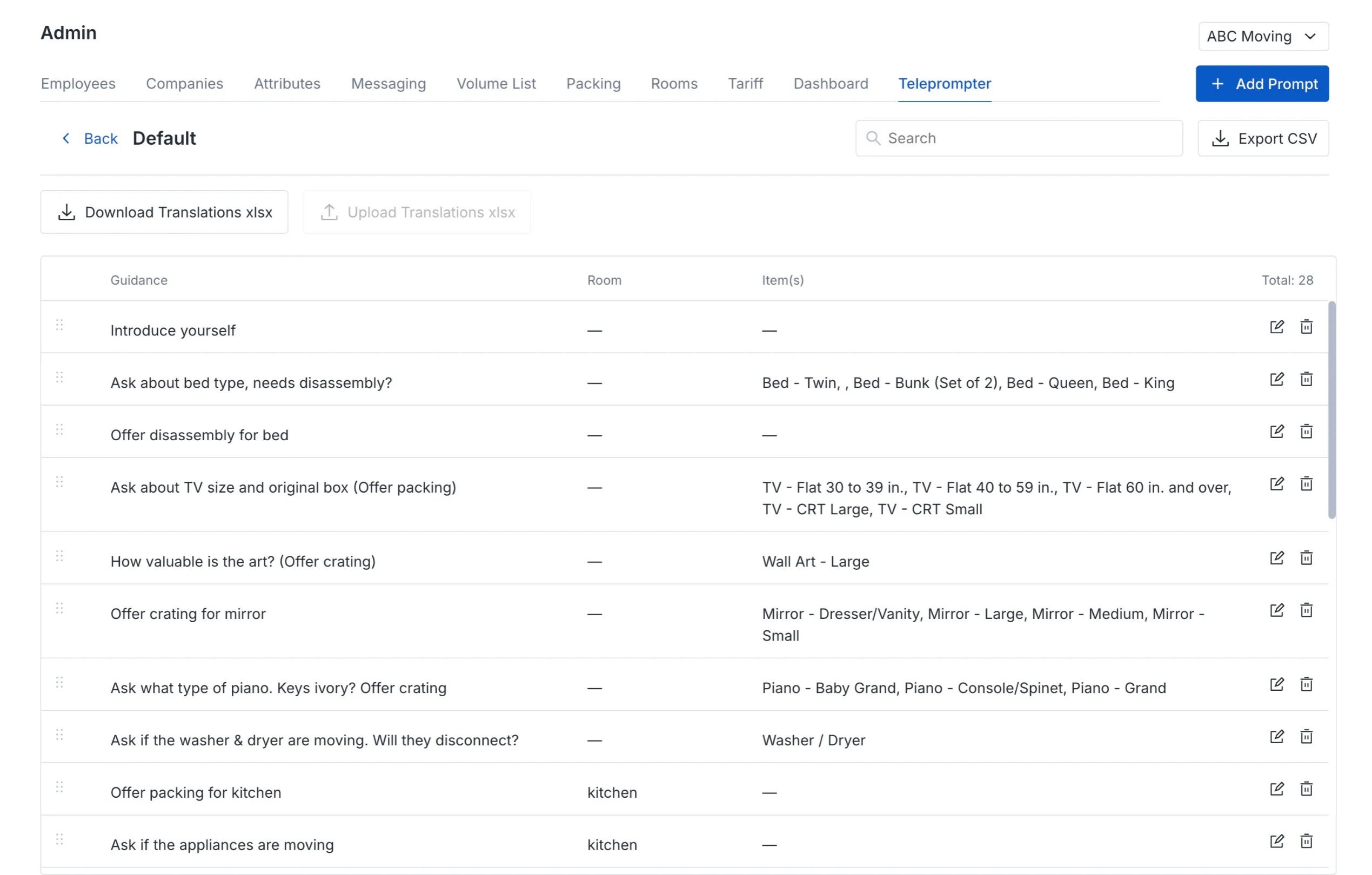
What every prompt is made of
Guidance
The action the surveyor should take when the prompt fires.
The prompt
The question itself — the exact wording the surveyor puts to the customer.
Conditions
What surfaces it, such as a specific room or an item Yembo identifies on camera.
Follow-on guidance
What to do next, which can differ depending on whether the customer accepts or declines.
Every survey sharpens the next
Teleprompter does more than help on the call. Across every survey, it shows you which questions win jobs and surface upsells and which ones fall flat — so each one can help shape your next round of revisions. Your questions get sharper over time, and so does every surveyor asking them.
Your best estimator's instincts, on every survey
Teleprompter turns your best estimator's instincts into the questions behind every survey. A surveyor in their first week asks the same sharp questions as your most experienced one, no matter how fast the appointment moves.
Related moving products
The survey Teleprompter runs alongside, and the products built from the same record.
See Teleprompter on a live survey
A 30-minute walkthrough with our team, from choosing your questions to watching a prompt surface mid-survey. Teleprompter is a paid add-on — your customer success manager can enable it.
Request a Demo