
Insurance
Contents claims
Build contents inventory from video, spreadsheets or handwritten forms. Price items in real time.
Photo by Francesca Tosolini (opens in a new window) on Unsplash (opens in a new window)
Multiple ways to automate capturing the inventory
Onsite adjuster or vendor
An adjuster or a field vendor captures the inventory on site from photos or video, working in the native Yembo app.
Policyholder DIY
The policyholder records the inventory themselves, from a link that opens in the browser on the phone they already have.
Desk adjuster live guided
A desk adjuster runs an interactive video walkthrough with the policyholder over the same kind of link, and the inventory builds during the call.
Spreadsheet import
Easily import items into Yembo by uploading a spreadsheet.
Handwritten forms
Import any handwritten forms and let our AI convert it into an itemized list.
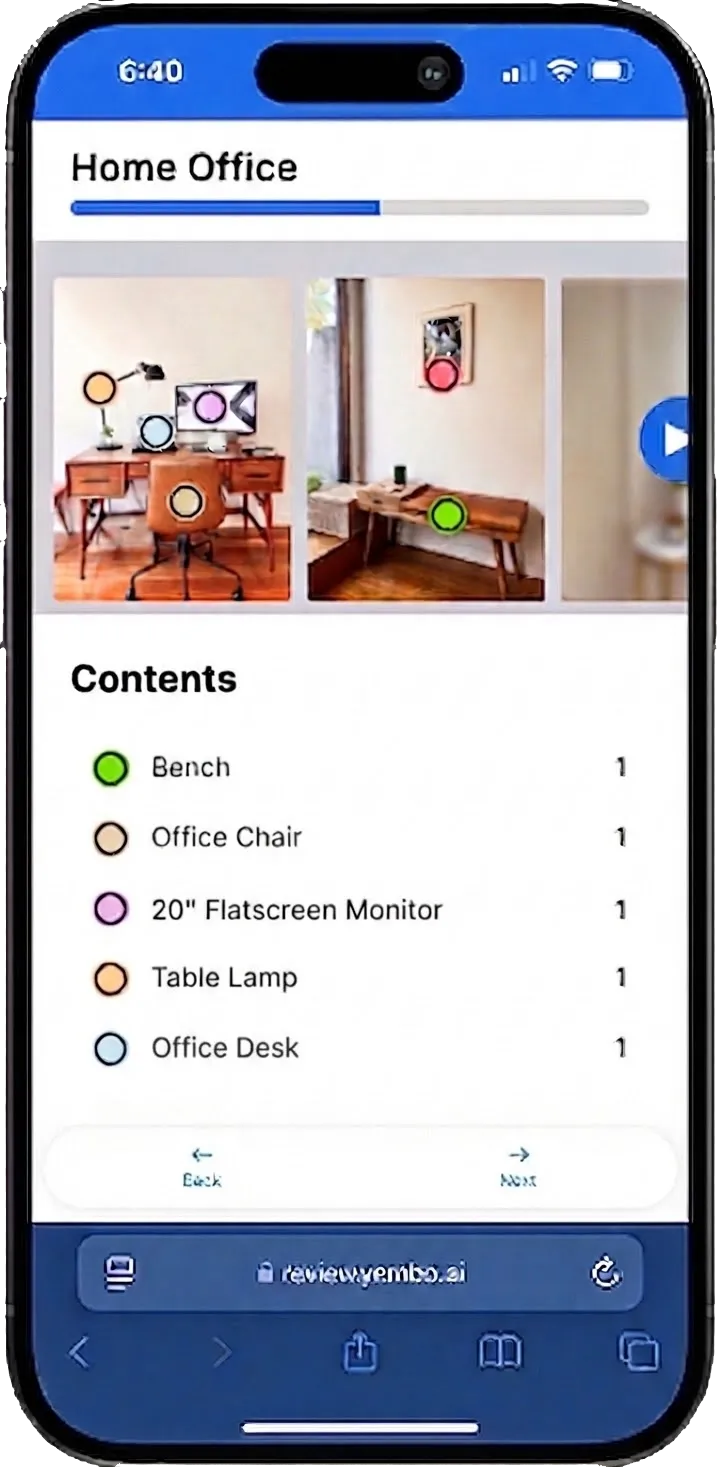
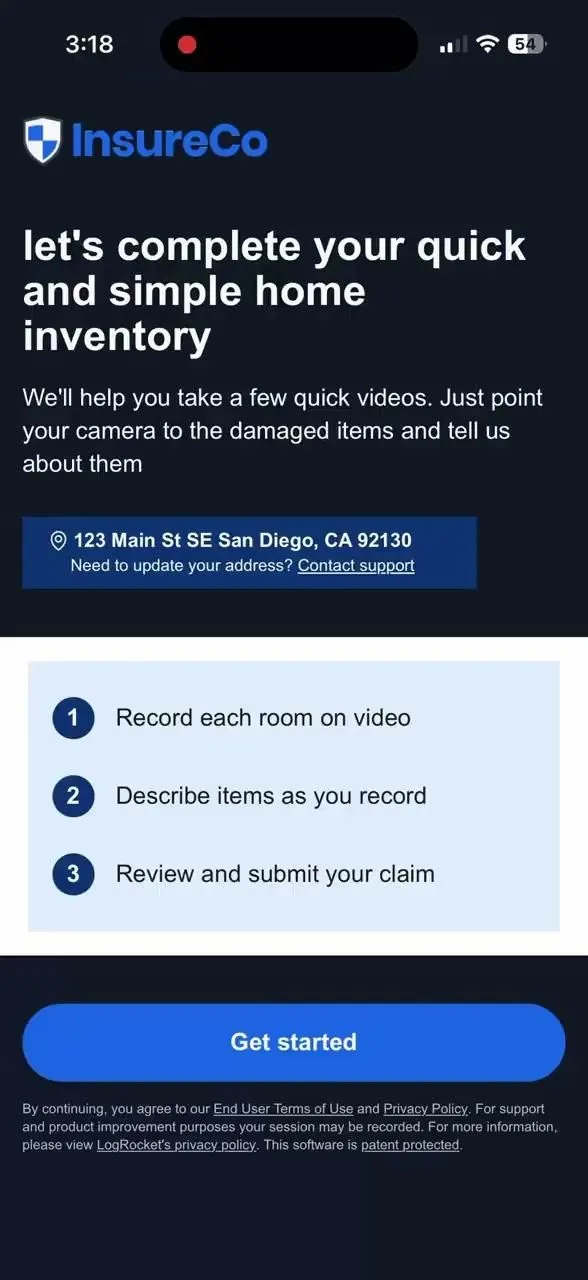
How the DIY walkthrough works
The method that takes nothing off anyone's calendar. The policyholder records the inventory when it suits them, and it arrives ready to work.
The invitation arrives by text message or email
A claim is opened and the link goes out by SMS, by email, or by both. There is no app to install and no account to create at the worst week of their year.
Built for easy capture
The flow tells them what to do in three steps: record each room on video, describe items as they record, then review and submit.
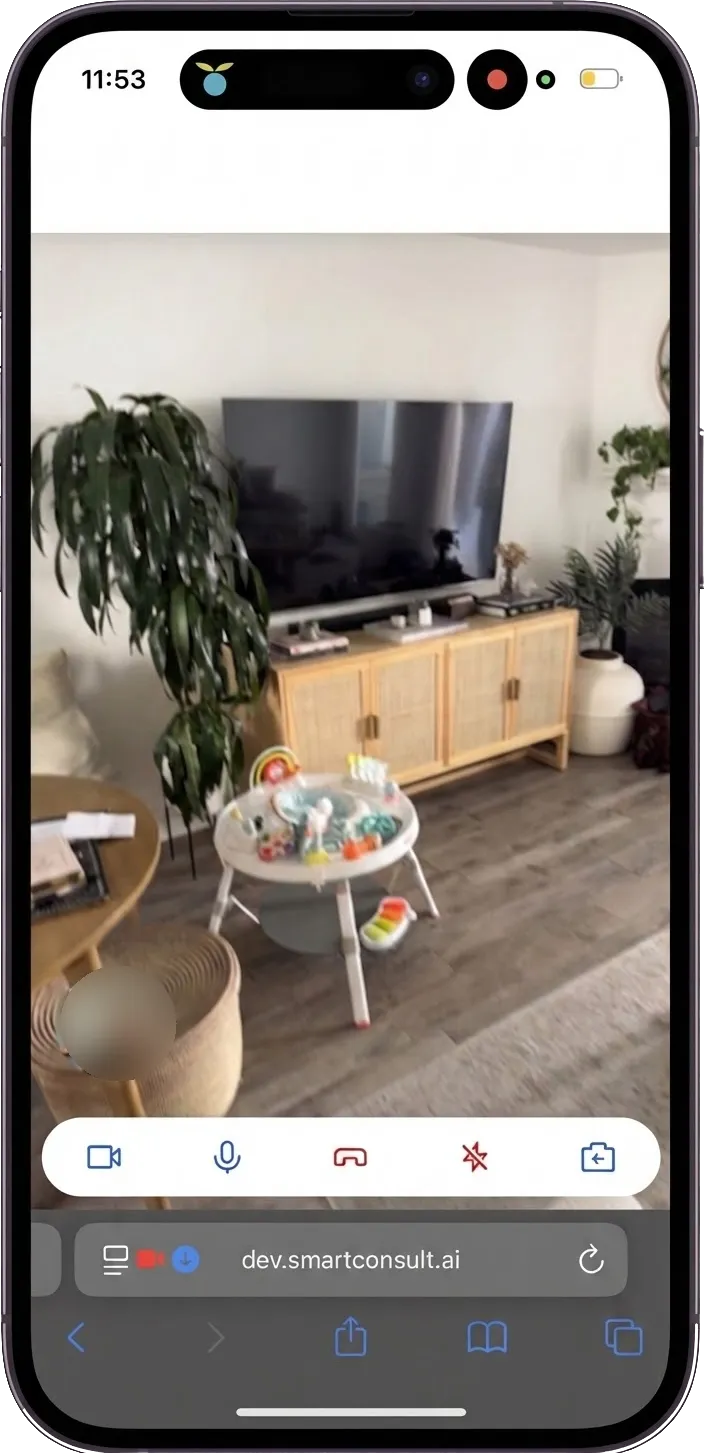
Walk the house and narrate
They walk around with the camera on and talk about what they are pointing it at. That is the whole of what the method asks for.
How the live guided call works
When a policyholder would rather be walked through it, a desk adjuster schedules time and does the walk with them.
Scheduled, then walked room by room
The adjuster books time with the policyholder and takes them through the loss on a video call the policyholder joins from a link, with the adjuster directing the camera.
The inventory builds during the call
Capture runs live rather than afterwards, so questions are answered while the room is still on camera instead of becoming a follow-up email.
What the AI takes out of the recording
The video and the narration are read together. What was said about an item is as much a part of the evidence as what the camera saw.
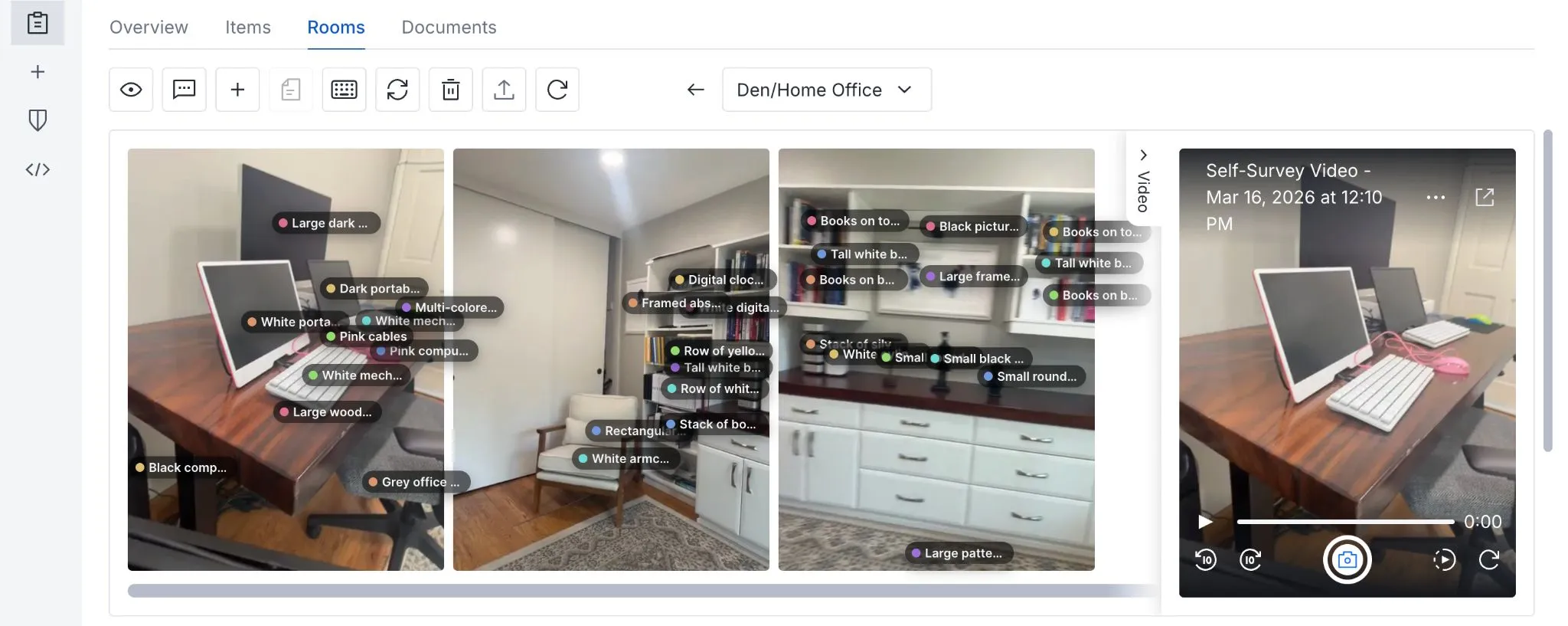
Items are detected in the video frames and pinned to the point in the room they were found at.
What the policyholder said while recording is used alongside the images to narrow down the item type and the brand.
Each detection keeps the frame it came from, so a line on the schedule can always be checked against the footage.
Rooms stay separate, so the schedule reads the way the walkthrough ran.
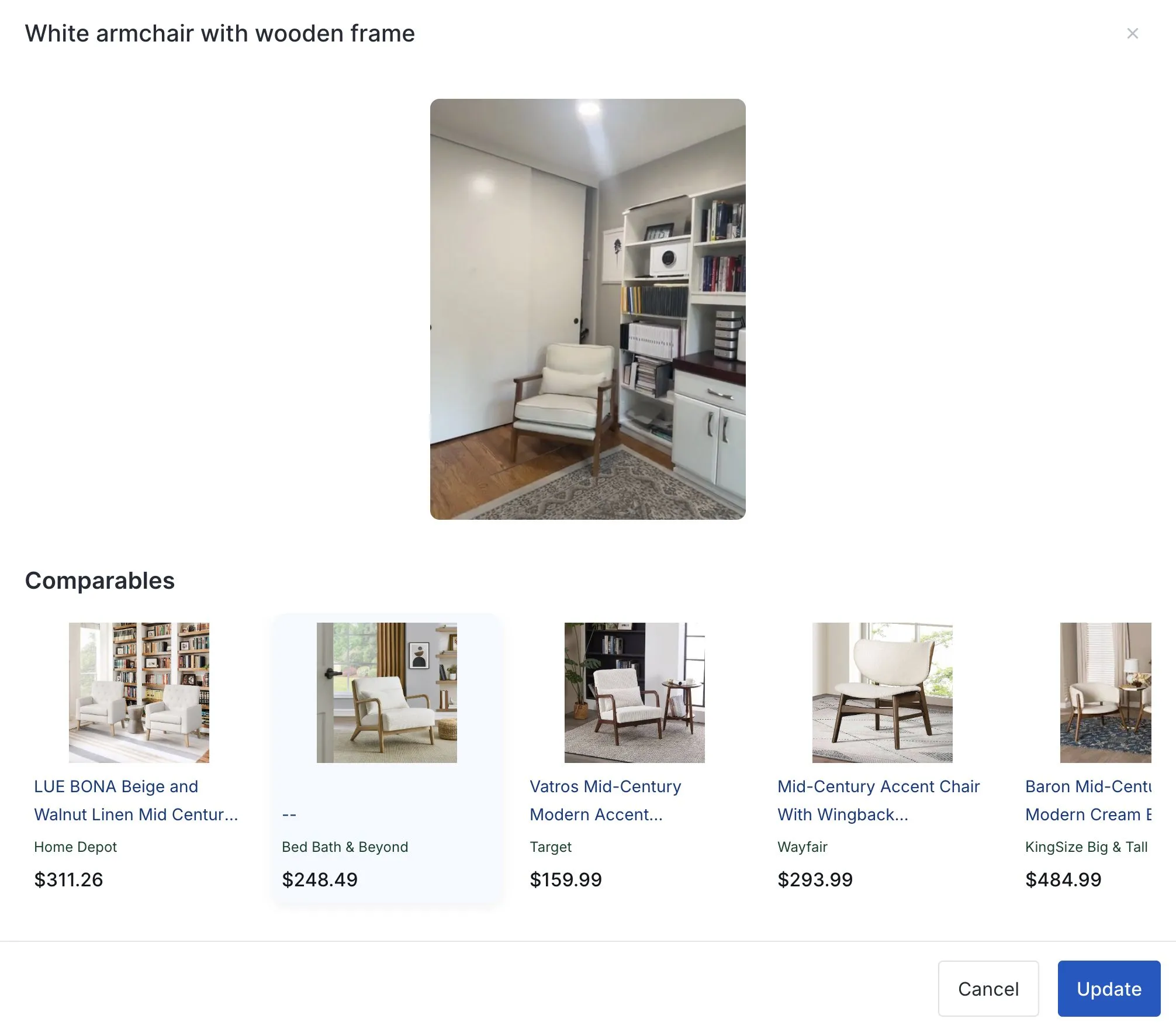
Like kind and quality, found by similarity search
Once an item is identified down to its type and brand, Yembo searches for what would replace it. The results come back priced at online retailers, with the closest match marked, and the adjuster can see why each one was offered.
The search is visible, not a verdict
The comparables sit next to the captured item, so an adjuster judges the match against the photograph rather than accepting a figure with nothing behind it.
Reviewable and editable
An adjuster picks a different comparable, edits the description, or adds an item the capture missed. The change stays on the record with everything else.
Consistent across adjusters
Two adjusters working two claims start from the same identification and the same search, so the same armchair does not become two different settlements.
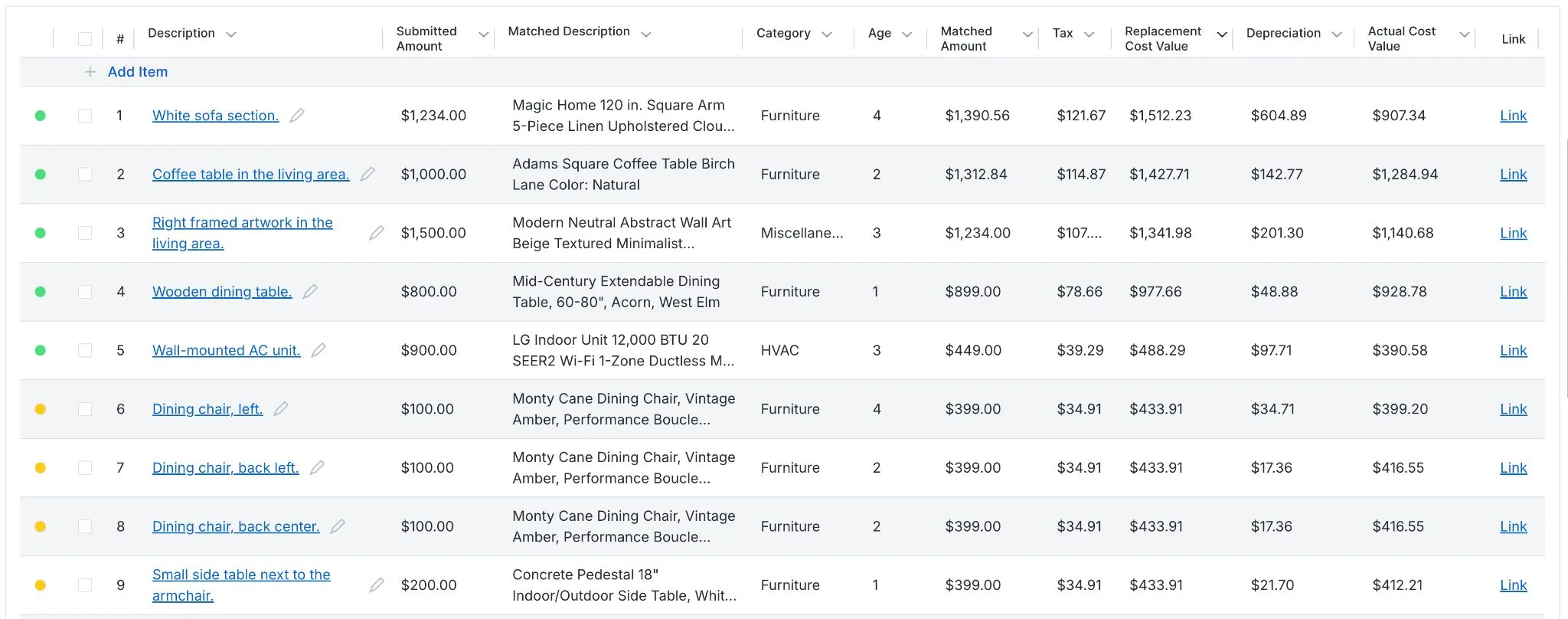
Replacement cost, depreciation, and approval in one schedule
The depreciation engine is built in, so replacement cost value and actual cash value are two columns of the same schedule rather than two systems to reconcile. Every line carries its own status, and the schedule is approved line by line.
Submitted and matched
The amount the policyholder submitted sits beside the matched item and the amount it prices at, so the gap between the two is visible rather than buried.
Replacement cost value
Category, age, and tax resolve into a replacement cost value for the line.
Depreciation and actual cash value
The depreciation engine applies the schedule for the category and the age of the item, and the actual cash value falls out of it.
When there is nothing left to photograph
A total loss is the case where capture after the event cannot help, because the contents are gone. The only record that settles it is one made before the loss.
That record already exists wherever a virtual underwriting inspection has run, since the same capture that documents the structure picks up a contents inventory alongside it. The route to it is the underwriting inspection, not the claim.
Related insurance products
Contents is one output of the same capture. These are the others.
Insurance claims
Remote first notice of loss, 3D models, and measurements from a walkthrough the policyholder runs themselves.
Underwriting
The virtual inspection that can pick up a contents inventory in the same capture, before there is a loss to document.
Yembo ScanMyHome
The interior scanning tool behind the models, floor plans, and measurements a contents claim is worked against.
See a contents inventory built from a capture
A 30-minute walkthrough of the three capture methods and the schedule each one produces.
Request a Demo